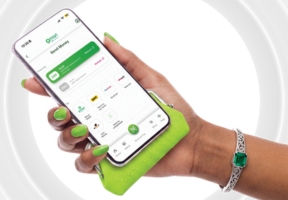
Omari is more than just a mobile money wallet it is a platform built to simplify your everyday life. Omari makes sending, receiving, and managing money effortless, secure, and instant. Whether you're paying bills, shopping online, receiving remittances, saving or accessing micro loans, Omari gives you the power to do it all.
Omari products
Best in class range of products to manage your everyday life.


How do I register on Omari?
Register for the Omari wallet on any network and unlock is quick and easy. Using any network, you can self-register for an all-in-one USD/ZWG wallet in just 60 seconds.
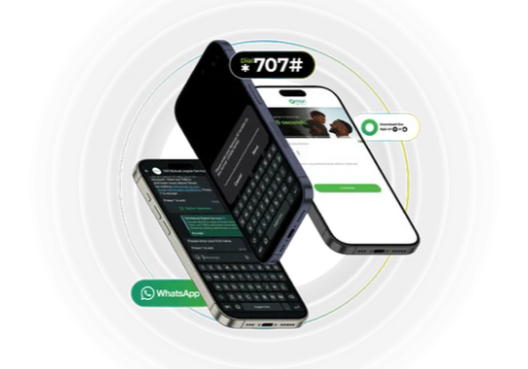
Select the channel of your choice and sign up in a few easy steps: USSD, Mobile App or WhatsApp. Below are the simple steps to register using USSD:
1.Dial *707#,
2.Accept Terms and Conditions,
3.Enter your details and confirm your details,
4.Dial *707# and Enter the 6-digit OTP,
5.Set your preferred secret 4-digit PIN,
6.Receive SMS for successful registration.
Or, Send ‘Hi’ on WhatsApp to 0774 707707
Or, Download the Omari App on the Apple Store or Google Playstore
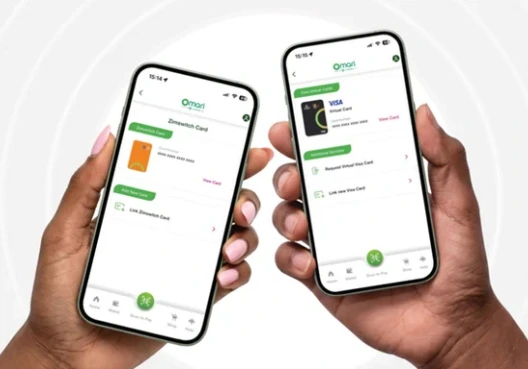
How do I link my Omari Debit Card (VISA or Zimswitch)?
1. Dial *707# and Enter your PIN,
2. Navigate to Card Services and Select option 1- Activate Card,
3. Enter the card details and your preferred 4-digit PIN,
4. Receive SMS for successful card activation.
How do I become an Omari agent/merchant?
YYou can now become an Omari Agent or Merchant. To get started, simply meet a few requirements outlined below:
• Certified copy of Certificate of Incorporation.
• Resolution from the Board of Directors approving of the appointment or use of the company as a Domestic Remittances Agent or Merchant and appointing the authorised account signatories. Alternatively, a letter authorising OMDS to create account.
• Certified copy of CR6 (Formerly Cr14).
• Tax Clearance Certificate.
• Coloured passport photos of the Directors and authorised account signatories.
• Certified copies of authorized account signatories' and Directors' national identity documents.
• Proof of Residence of the Directors or proof of physical address for the company's business premises.
• Company's trading shop licence.
• Bank statement for the past 3 months.
• A list of all your branches.

Why choose Omari?
Omari allows you to do more:

Buy airtime from any network
You can buy airtime for you and your loved ones on any network.

Send Money Anywhere
Send and receive money from anyone, whether they have a bank account or mobile money wallet.

Get Omari FoodCare and SchoolCare
Have peace of mind knowing that your family will be taken care of when you are gone.

For just $1, Cash In, Cash Out and Send Money for free up to US$500 with the Omari Mahala bundle.

How Do I Send Money from my USD Wallet?
You can send USD to anyone with:
1. An Omari wallet,
2. A bank account or mobile money wallet, and;
3. Any unregistered mobile number (they can then register and Cash Out)
Simply dial *707#, select transaction & select Omari USD Wallet to complete the transaction.
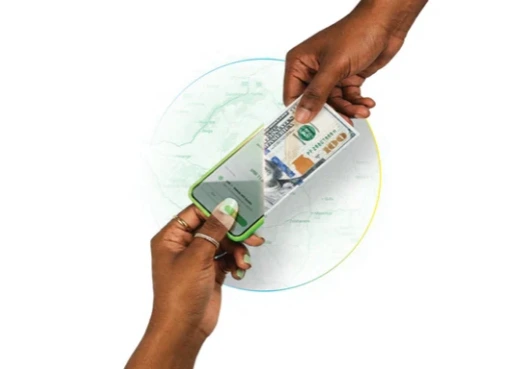
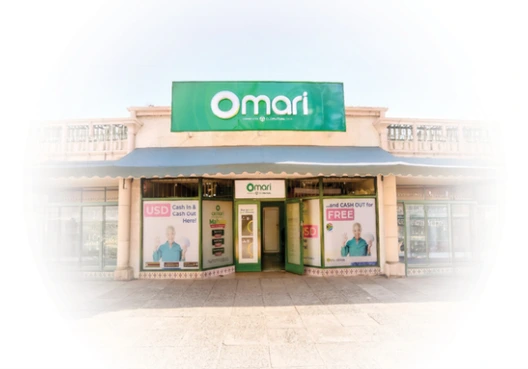
Where can I Cash In and Cash Out?
Getting USD has never been easier.
Here is a list of our Omari partners nationwide.
Want to know more about Omari?
We've answered some questions you might have.
You can register for the Omari Wallet on any Mobile Network (Econet, NetOne, or Telecel) from any channel of your choice:
USSD:
Dial *707# on your mobile phone.
Follow the simple registration prompts to set up your account and PIN.
Mobile App:
Download from the Google Play Store (for Android) or the Apple App Store (for iOS)
Follow the on-screen instructions to register your account.
WhatsApp:
Send Hi to +263 774 707 707, to begin registration
Follow the simple registration prompts to set up your account and PIN.
The Omari wallet allows you to transact in both ZWG and USD all on one wallet.
Opening an Omari wallet is absolutely FREE and there are no monthly maintenance fees.
You can use any of the below options to fund your Omari wallet and transact across the various services available:
- ZIPIT (Receive Money) – receive money from another Omari wallet, any mobile wallet and any bank across the country.
- Bank to Wallet (Banking Services) – send money from your CABS bank account to your Omari wallet.
- Cash In – By cashing in USD to your Omari USD Wallet
USSD:
Dial *707# on your mobile phone.
Select Option 1 in the main menu.
WhatsApp:
Send Hi to +263 774 707 707
Select Option 1 in the main menu.
Mobile App:
Log in to the Omari app
Your main wallet balance is displayed on the home screen.
WhatsApp:
Send Hi to +263 774 707 707
Navigate to “Mini statement”
Mobile App:
Log in, navigate to Transaction history and
select “Refresh” to get your “Mini statement”
Yes, you can buy airtime for you and your loved ones for any network (Econet, NetOne, or Telecel) using your Omari wallet.
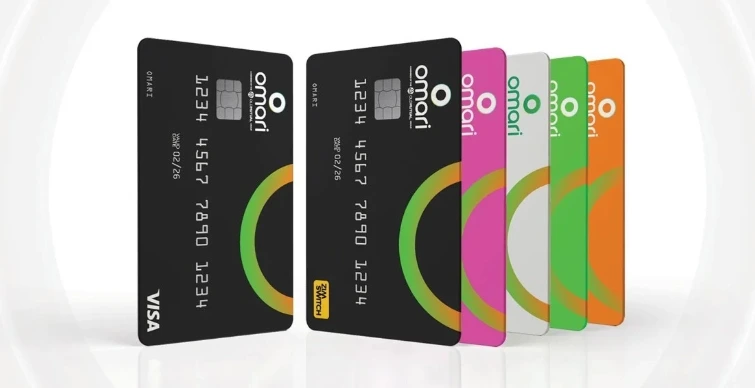
Omari has two Debit cards, a Zimswitch card for local ZWG & USD transactions and a VISA card for international USD transactions.
- With your Zimswitch Debit card, you can swipe & pay for your goods and services at any shop across the country.
- With your VISA Debit card, you can swipe at any shop which accepts USD swipe, make payment online for things like DSTV and travel with your card internationally.
The Omari Visa Card is available in two forms:
- Physical Visa Card – swipe in-store and withdraw cash.
- Virtual Visa Card – perfect for online payments and subscriptions.
Both options are internationally accepted and linked to your Omari USD wallet.
Physical Visa Card: US$5.00
Virtual Visa Card: US$0.50
Simply say “Hi” on WhatsApp at +263 787 707707 to order and select a pickup location or arrange delivery.
You can also buy the card at any participating Omari Remittance Center, Omari Kiosk, CABS, Chicken Hut, Chicken Slice, MedOrange, OK, or SPAR branches.
USSD:
*Dial *707# on your mobile phone.
- Follow the menu prompts, selecting and select “Card Services”
- Choose the option to “Activate Card” and input the required card details.
Omari Mobile App:
Log in to your Omari Mobile App.
- Navigate to the “Card Services” section.
- Enter your Visa card details (card number, expiry date, and CVV).
- Confirm to link.
You can add money to your card in three simple ways:
- By cashing in to your Omari USD Wallet
- Via ZIPIT or Mobile money
Once funded, you can use your Omari Visa card to shop online, swipe in stores, or withdraw at ATMs where Visa is accepted.
WhatsApp:
Send Hi to +263 78 770 7707
Select “Upgrade Visa limits” and follow the instructions provided.
Mobile App:
Log in to the Omari app
Navigate to the Card Services section, and select “Upgrade Visa Limit”
Omari isn’t just a card it’s a full transacting ecosystem.
- Loans: Quick microloans based on your wallet activity; apply and get approved in minutes.
- Savings: Earn interest while you save; start with as little as $10.
- Junior Wallet: Teach your children smart money habits by enrolling them onto the Omari Junior Wallet.
- Airtime, Bill Payments and more: Buy airtime and bundles, pay for ZESA, water, & other bills.
The Omari Mahala bundle lets you transact on Omari for free, up to US$500. This covers Send Money, ZIPIT, Cash Out, Bill Payments, and Merchant Payments, with no Omari fees.
When using the bundle, 2% IMT tax is only applicable on Send Money, Bill and Merchant payments for transactions above US$5. ZimSwitch charges of 1% apply on ZIPIT transactions.
Dial 707#, Select option 5, and follow the prompts to buy the bundle for US$1
Yes,
- Dial *707#
- ENTER your PIN,
- SELECT option 5
- CHOOSE “Buy bundle for Other,”
- ENTER the recipient's number and confirm.
US$1 will be deducted from your wallet, and the recipient will receive an SMS about their new bundle.
Yes, if you don’t activate the bundle, normal Omari charges will apply. You will only be charged US$1 when you purchase the bundle.
| Channel | Contact Details |
| Toll-free number | 433 |
| Landline | +263242308400 |
| SIP Line | +2638677007437 |
| +263780040219 | |
| VISA WhatsApp | +263787707707 |
| contactus@oldmutual.co.zw |
